On the Road to Host My Own Data
Table of Contents
At some point, you start to wonder: what would it take to run the services I rely on most — myself?
I wasn’t aiming for a dramatic cloud exodus. But I wanted more control over the services I use every day — especially for photo storage, document management, and backups. Rather than spreading my personal data across Google Photos, Google Drive, Dropbox, and iCloud, I decided to take a different path.
This is Part 1 of that journey — the why, what, and how of building a self-hosted stack to own my data and simplify my digital life.
Why Self-Host? #
This isn’t about rejecting all cloud tools. I still use plenty. But for the data that matters — my photos, key documents, and reliable backups — I wanted:
- Automatic photo backup from my phone — without feeding an AI model 🤮
- A searchable archive for bills, receipts, and scanned documents
- Backups I can configure, test, and restore with confidence
- Secure access to my services, anywhere, on my terms
- And ideally, a little satisfaction from building something for myself
For me, replacing Google Photos, Google Drive, Dropbox, and OneDrive with tools I could control seemed like a good place to start.
The Stack — Services with a Purpose #
This isn’t a sprawling homelab. It’s a focused stack for real-world needs, not overengineering.
Immich — Photo Management and Uploads #
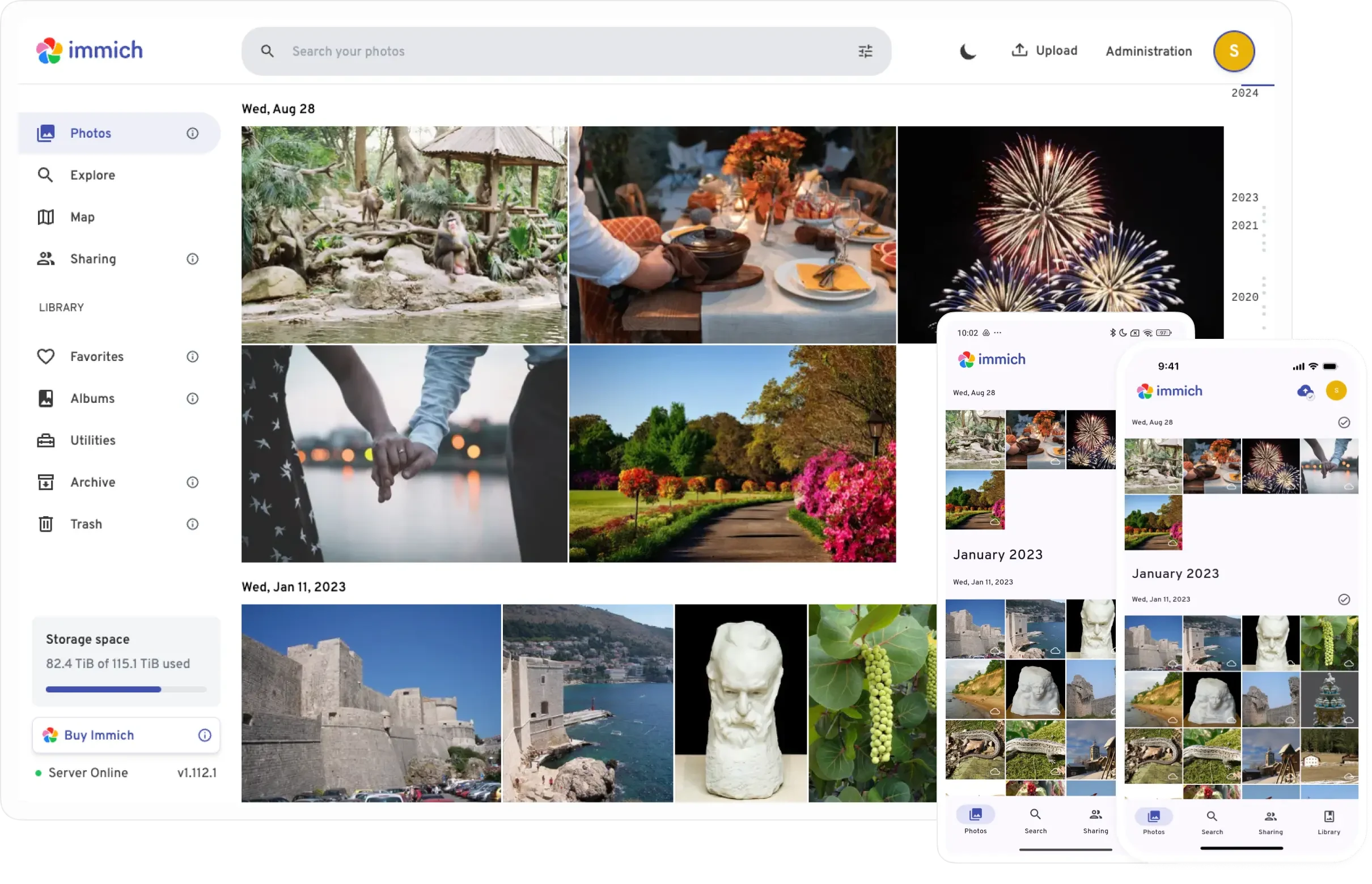
Immich (here) is now my Google Photos (and iCloud Photos) replacement. Here’s why it won instantly:
- Automatic photo and video uploads from iOS and Android
- Timeline, albums, and face recognition
- Lightweight and Docker-friendly
- Clean, modern interface
Status: Deployed and fully integrated into daily use.
Paperless-ngx — Document Archival (Under Evaluation) #
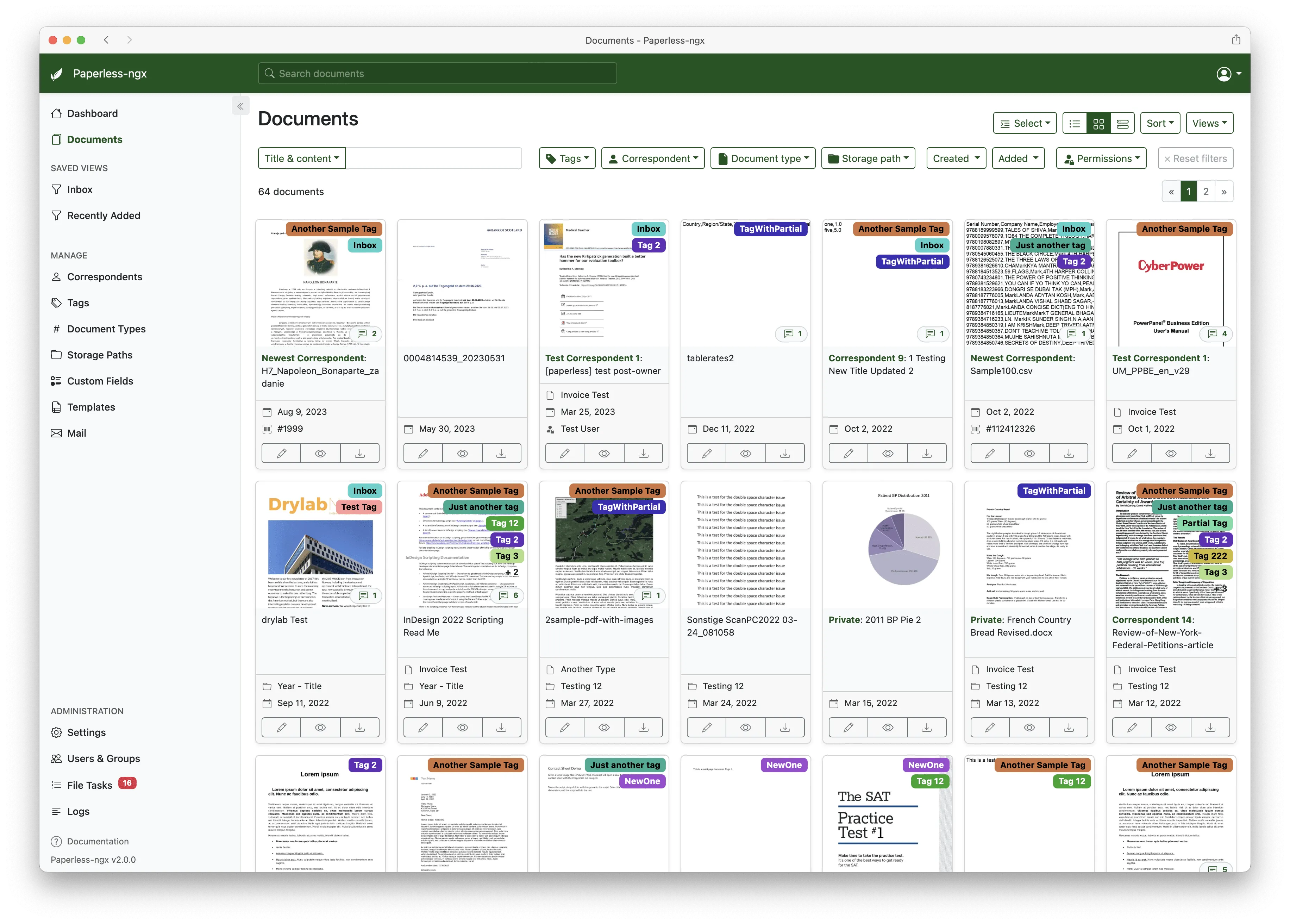
Paperless-ngx (link) aims to replace the old “throw PDFs into Google Drive or Dropbox” approach. It OCRs, tags, and organizes bills, statements, receipts — anything I used to trust to cloud file storage.
I’m still evaluating if it’ll stick for the long run, but it’s a strong candidate for replacing ad-hoc cloud file dumping.
Status: In testing.
Why Not Just Keep Paying? #
Let’s be practical. Here’s what these services charge beyond the free tier:
| Service | Monthly Cost (USD) | Storage Included | Purpose |
|---|---|---|---|
| Google One | $9.99 | 2 TB | Google Drive, Photos, Gmail |
| iCloud+ | $9.99 | 2 TB | iCloud Drive, Photos |
| Dropbox Plus | $9.99 | 2 TB | File storage & sync |
| OneDrive 365 | $6.99 | 1 TB | OneDrive + Office apps |
Across a family or team, that adds up fast — $100–$150/year, every year.
Here’s what self-hosting actually cost me, one-time:
- Raspberry Pi 5 (8GB): ~$80
- 2TB NVMe SSD: ~$100
- Heatsink + active cooling: ~$20
- Total: ~$200 one-time, with no monthly fees
More or less about it 🤣
You’ll pay a couple of dollars a month for power, but you own the hardware and the data. It’s not just about money — it’s about flexibility and peace of mind.
Backup Strategy — In Progress #
Backups matter. But I’m still deciding on the best approach.
Options being tested:
rsync— simple, robust local backups to USB/NASrclone— flexible for cloud or remote syncsborg,restic,duplicity— powerful snapshot-based options with encryption
The backup destination is still up for debate between me, myself and I. A local USB disk every Friday is likely, but remote and cloud options aren’t ruled out.
Status: In progress 👺
Security and Access #
Security isn’t about paranoia — it’s about being intentional.
- Nginx Proxy Manager handles HTTPS, TLS, and subdomain routing
- Cloudflare DNS is already set up for
*.devgarage.app - Fail2ban is being configured for brute-force protection
- Cloudflare Tunnel/Access is under consideration for secure remote entry with no open ports
- Authelia or other open-source OIDC solutions are on my shortlist for internal SSO and more granular authentication in the future
For now, I’m keeping things simple, but leaving the door open for more advanced authentication as the stack grows.
Hosting Environment #
Everything runs on a single, efficient device:
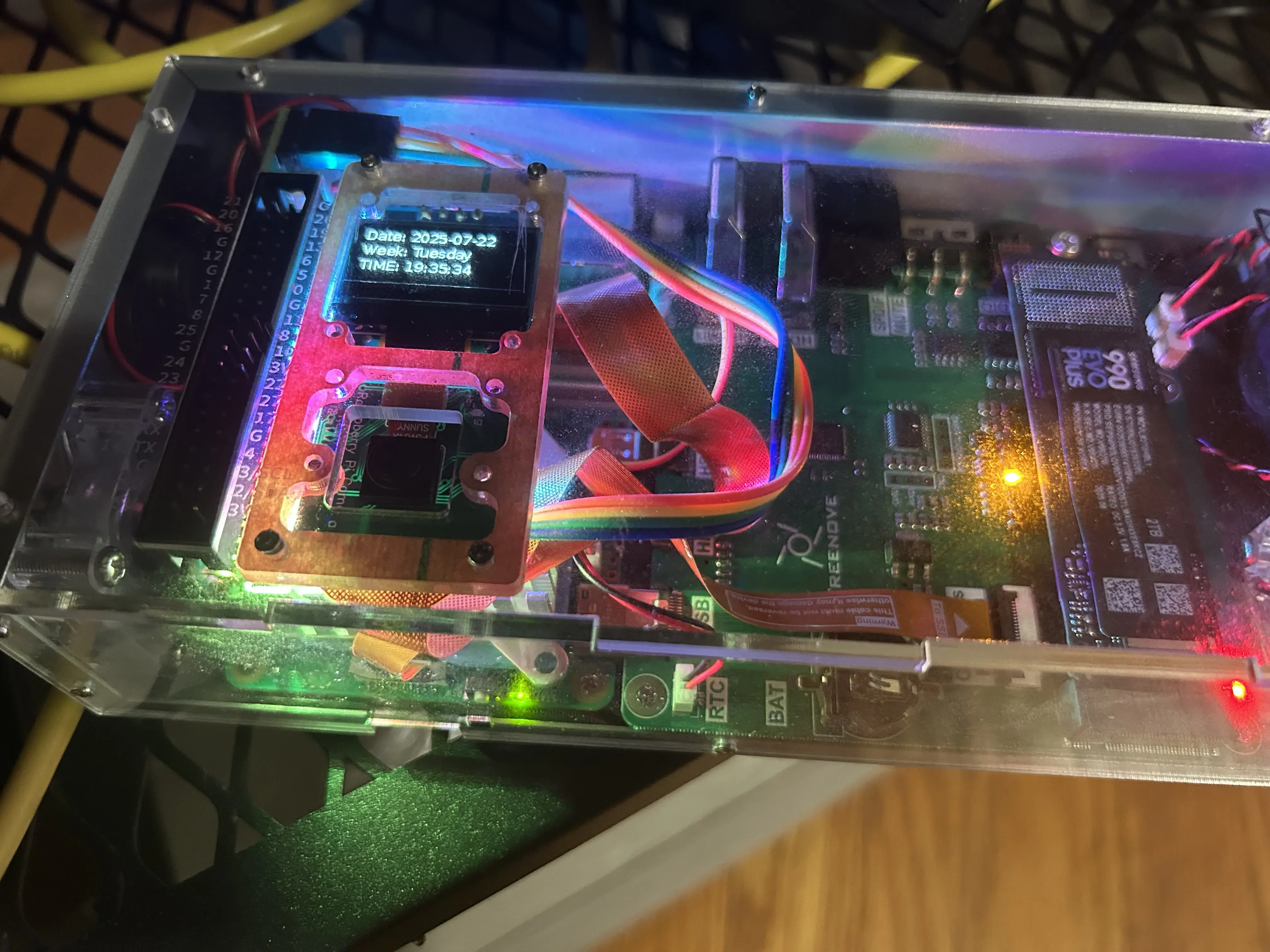
- Raspberry Pi 5 (ARM64, 8GB RAM)
- 2TB NVMe SSD, directly attached
- Active cooling and fans
- Raspberry Pi OS (64-bit)
- Docker Compose for deployment
It’s quiet, sips power, and handles the workload like a champ. Perfect for home or solo self-hosting.
File Structure #
Keeping it tidy and simple, everything lives under /naas:
/naas/
├── photos/             # Managed by Immich
├── docs-inbox/         # Drop zone for scanned files
├── docs-archive/       # Processed and tagged by Paperless
Backups will go to a separate mounted location, like /mnt/backup/.
Architecture Diagram (Coming Soon) #
A system diagram mapping domains, proxies, storage, and backup flow will be included in a future update.
Benefits and Tradeoffs #
✅ What’s Working: #
- True ownership of important data
- No recurring cloud subscriptions
- Tools are focused and maintainable
- Easier to deploy and maintain than expected
- Flexibility to adapt, swap, and scale as needed
⚠️ What’s Still Evolving: #
- Backup tooling and destination
- Document workflow (still evaluating Paperless)
- Security hardening (fail2ban setup in progress)
- Ongoing tweaks and optimizations
Final Thoughts #
This project isn’t finished — and that’s by design. I’m starting with the essentials, testing tools in real-world scenarios, and growing the stack slowly and deliberately.
So far, Immich is a clear win. Paperless may join it. Backups are next. With each step, there’s a little more control and a little less reliance on cloud platforms I don’t manage.
And yes — I didn’t forget about my blogging platform. This blog is on the list too.
If you’re curious about self-hosting, you don’t need to go all-in. Start with something small.
Pick one tool or service you’d love to manage yourself, and see where the road takes you.
Join the Conversation #
Curious about self-hosting? Already replaced a cloud service, or have a cautionary tale to share?
Drop a comment below with your experience, questions, or the tools you’ve enjoyed (or regretted!) using along the way.
Let’s compare notes, learn from each other, and make the world of personal infrastructure just a bit more approachable — one project at a time.